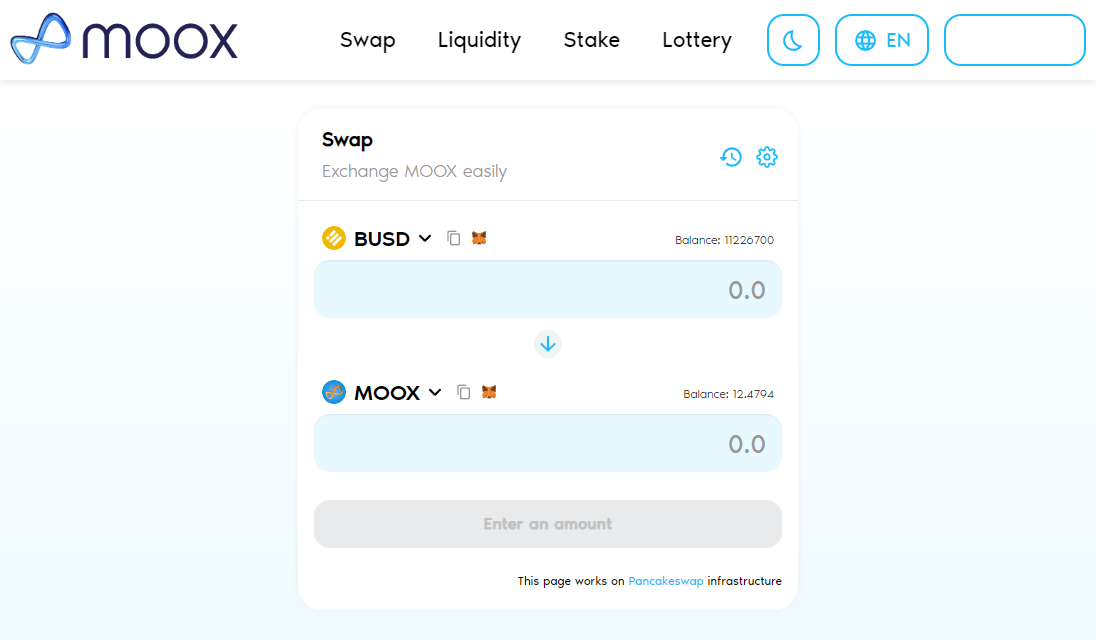
> For the complete documentation index, see [llms.txt](https://docs.moox.one/llms.txt). Markdown versions of documentation pages are available by appending `.md` to page URLs; this page is available as [Markdown](https://docs.moox.one/all-in-one-platform/swap.md).
# Swap
The first step of getting into Moox ecosystem is buying MOOX token.
Instead of leaving Moox platform and going to Pancakeswap, Moox presents a Swap page where MOOX token can be swapped between BUSD and BNB.
Swap page completely works on Pancakeswap infrastructure and secure to use.
The same swap operation can be done on Pancakeswap by just clicking the link on the bottom of page.
### Slippage Setting
Although buy and sell fees are fixed and hardcoded in the contracts, because of the algorithm used in Pancakeswap SDK, slippage setting may be need to set higher values.
The application sets slippage tolerance automatically for once. To minimize the problems caused by slippage tolerance, it is set to 2% for MOOX V2 buy/sell, to 15% for MOOX V1 buy and to 38% for MOOX V1 sell.
These values don't have an impact on buy and sell fees. The fees will be deducted as exact as mentioned in the whitepaper.
### Troubleshooting
Since swap page is built on Pancakeswap contracts and Pancakeswap SDK, you can check Pancakeswap's exchange troubleshooting [page](https://docs.pancakeswap.finance/help/troubleshooting#issues-on-the-exchange) first.
You can also drop a message on telegram group or send an email to for any problem you run into.