> For the complete documentation index, see [llms.txt](https://docs.moox.one/llms.txt). Markdown versions of documentation pages are available by appending `.md` to page URLs; this page is available as [Markdown](https://docs.moox.one/all-in-one-platform/liquidity.md).
# Liquidity
To encourage community to add more liquidity, Moox developed a liquidity proxy contracts, which stands between user and Pancakeswap liquidity pool for tax free liquidity providing.
Liquidity page interacts with these contracts and serves a whole liquidity management to users.
{% hint style="info" %}
If all the LP tokens in a wallet are staked, nothing will be listed here.
{% endhint %}
### Add Liquidity
This is the page where tax free liquidity adding for MOOX-BNB pair can only be done.
It interacts with liquidity proxy contract. So, MOOX token transfer approval is required for adding liquidity the first time.
{% hint style="warning" %}
Adding liquidity on Pancakeswap will cause tax deduction.
{% endhint %}
### Remove Liquidity
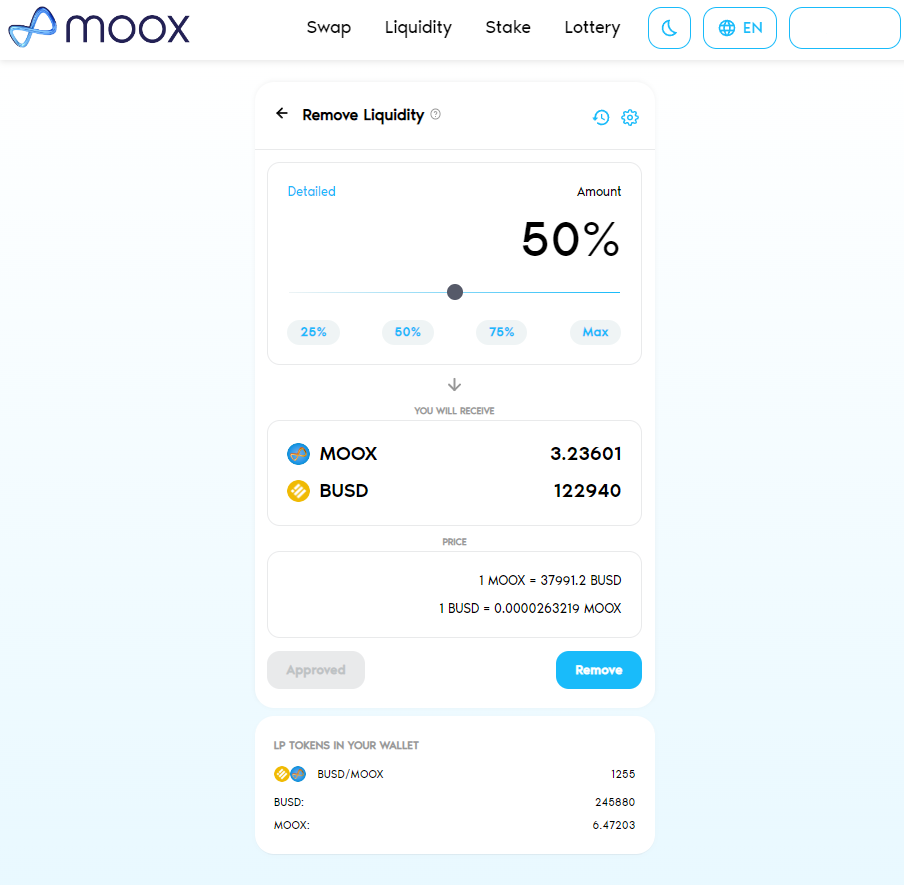
After approval of transferring LP tokens, by clicking Remove button on the liquidity listed in the liquidity position page, desired amount of liquidity can be removed.
As the liquidity is removed, LP tokens are burned and the amount for instant ratio of MOOX token and BUSD are sent to the wallet.